

Streaming Agent UI Into 2010 ASP.NET WebForms
By wGrow Project Team ·
Every token your agent emits will try to drag the whole page with it. That’s what happens when you put a streaming LLM response inside an ASP.NET WebForms UpdatePanel. It looks like a sensible first move. It’s the wrong one.
We hit this twice: a 2012 HR compliance portal for a Singapore statutory board, and a procurement approval dashboard of similar vintage. Both projects got the same mandate, to put a LangChain-powered conversational agent into the existing .aspx master page. Both came with the same constraint. Nobody wanted a rewrite. Routing, approval logic and the audit trail had to stay exactly as they were.
The Synchronous Trap of the 2010 Enterprise Portal
WebForms treats every interaction as a postback. The browser sends the form, the server rebuilds the control tree, and a full page comes back. __VIEWSTATE is the glue that makes this feel stateful. On a mature enterprise portal with grids, filters and approval panels, that hidden field can grow large enough to dominate every request.
A modern agent works the other way around. It emits text in small increments, and the user expects to watch it arrive. In our case the agent was a Python microservice running LangChain, and its tokens arrived faster than a WebForms postback could complete.
Combine the two naively and you get more than a slow chat box. You get a portal that struggles under concurrent load. Enterprise architects get asked to do this all the time: bolt current agentic UX onto systems built on different assumptions. In our experience you can’t stretch the old model to cover the new one. You have to route around it.
Why the Page Lifecycle Fights Streaming

It’s tempting to treat an AI response like a database query: one request, one response, one render. Developers who know WebForms reach for UpdatePanel here, because it promises partial page updates.
What it delivers is partial rendering, not a partial lifecycle. An asynchronous postback still sends the full __VIEWSTATE field up to the server. The server still runs Page_Init, restores the control tree, fires Page_Load, handles the event, and runs Render. Only then does it send back the changed fragment. The browser repaints a slice, but the server has done the work for the whole page.
Now multiply that by the number of chunks in a single answer. Each chunk would need its own postback, and each one would deserialise and reserialise the same bulky state. Postbacks can’t overlap cleanly either, because the ScriptManager allows only one asynchronous postback in flight at a time. The client gets a stuttering UI. The server risks thread starvation.
So here’s the rule we took from it: do not try to stream an AI response through a WebForms control. You can’t tune the page lifecycle into compliance. You have to bypass it.
Dropping to Bare Metal with IHttpAsyncHandler
| 1 | <system.webServer> | |
| 2 | <handlers> | |
| 3 | <add name="AiStreamProxy" | |
| 4 | verb="GET" | |
| 5 | path="api/agent-stream" | ← ① |
| 6 | type="wGrow.Portal.AiStreamHandler, wGrow.Portal" | ← ② |
| 7 | preCondition="integratedMode" /> | ← ③ |
| 8 | </handlers> | |
| 9 | </system.webServer> | |
| 10 |
- ① Target route for the vanilla JS EventSource
- ② Points to our custom IHttpAsyncHandler implementation
- ③ Requires IIS integrated pipeline mode
We pivoted to a lower IIS primitive. We registered a custom IHttpAsyncHandler that intercepts requests to one agent endpoint before the page framework gets involved. A handler mapping under <system.webServer> in web.config is enough:
<system.webServer>
  <handlers>
    <add name="AgentStream" path="agent/stream.axd" verb="GET"
         type="Portal.Agent.StreamHandler, Portal.Agent"
         preCondition="integratedMode" />
  </handlers>
</system.webServer>
We chose Server-Sent Events (SSE) over WebSockets for a plain reason: IIS 7.5 has no native WebSocket support, which arrived with IIS 8. SSE is just a long-lived HTTP response with Content-Type: text/event-stream, and it works on the stack the client already runs. The trade-off is that SSE is one-way, server to browser. Browsers also cap concurrent connections per host under HTTP/1.1, so several open chat tabs can compete for slots. For a single assistant panel, we could live with that.
Because SSE only carries the read side, the prompt goes up a separate path. The component submits it with a same-origin POST, protected by the portal’s existing anti-forgery and origin checks, and gets back a stream id. It then opens EventSource('/agent/stream.axd?id=...') to read the answer. Never put the prompt in the query string: URLs land in IIS logs, proxy logs and browser history. And since an authenticated GET that starts LLM generation is a CSRF target, the stream handler only serves ids that were issued to the current user by that POST.
The handler’s job is narrow. It opens a connection to the Python service, reads the SSE stream line by line, and writes each event to the response. Three details matter:
- Set
Response.BufferOutput = false, write each SSE frame withResponse.OutputStream.WriteAsync(...), and flush withResponse.FlushAsync()where the target framework supports it. Skip the unbuffered setting and ASP.NET holds the bytes, so your “stream” arrives as one lump. If you’re stuck on synchronousResponse.Flush(), it works, but the write can still occupy a worker thread while it completes. The thread-saving then comes mainly from the time spent awaiting upstream events. - Switch off dynamic compression for the endpoint. IIS compression buffers output and can quietly defeat the flush.
- Watch
Response.IsClientConnected. When the user closes the tab, cancel the upstream call. Otherwise the agent keeps generating (and billing) for nobody.
The async interface alone doesn’t protect the portal; the non-blocking I/O inside it does. While the handler awaits the next upstream SSE line, no IIS worker thread is blocked. The thread goes back to the pool until there is data to write. A handler that calls a blocking HTTP client inside BeginProcessRequest has the same starvation problem as a synchronous handler: one pinned thread per open chat for the entire generation. On a portal with a fixed thread budget and a few hundred staff, that’s how you lock up a business-critical system. Done properly, the async handler lets many slow streams share few threads. The price is code that’s more intricate than a synchronous handler needs.
Isolating the UI from the WebForms DOM
The server side was only half of it. The front end had to stop participating in WebForms too.
We removed every ASP.NET server control from the chat surface. No <asp:TextBox>, no <asp:Panel>. Server controls rewrite their client IDs, post their values back, and register themselves in the control tree. A chat box should do none of that.
In their place went a standalone vanilla JavaScript web component, dropped into the master page as a single custom element. It has no dependency on the ScriptManager, no framework, and no knowledge of the page around it. To the legacy page, it’s an opaque block of markup.
Inside, the component uses the browser’s native EventSource API to consume the handler’s stream. Incoming chunks get appended to a target element, which produces the typing effect. The ASP.NET postback pipeline never sees any of it. The wrapper is still a 2010 master page, but the part users actually watch is a modern interaction.
One practical benefit: EventSource sends cookies on same-origin requests automatically. That matters for the next problem.
Preserving the Legacy Authentication Model
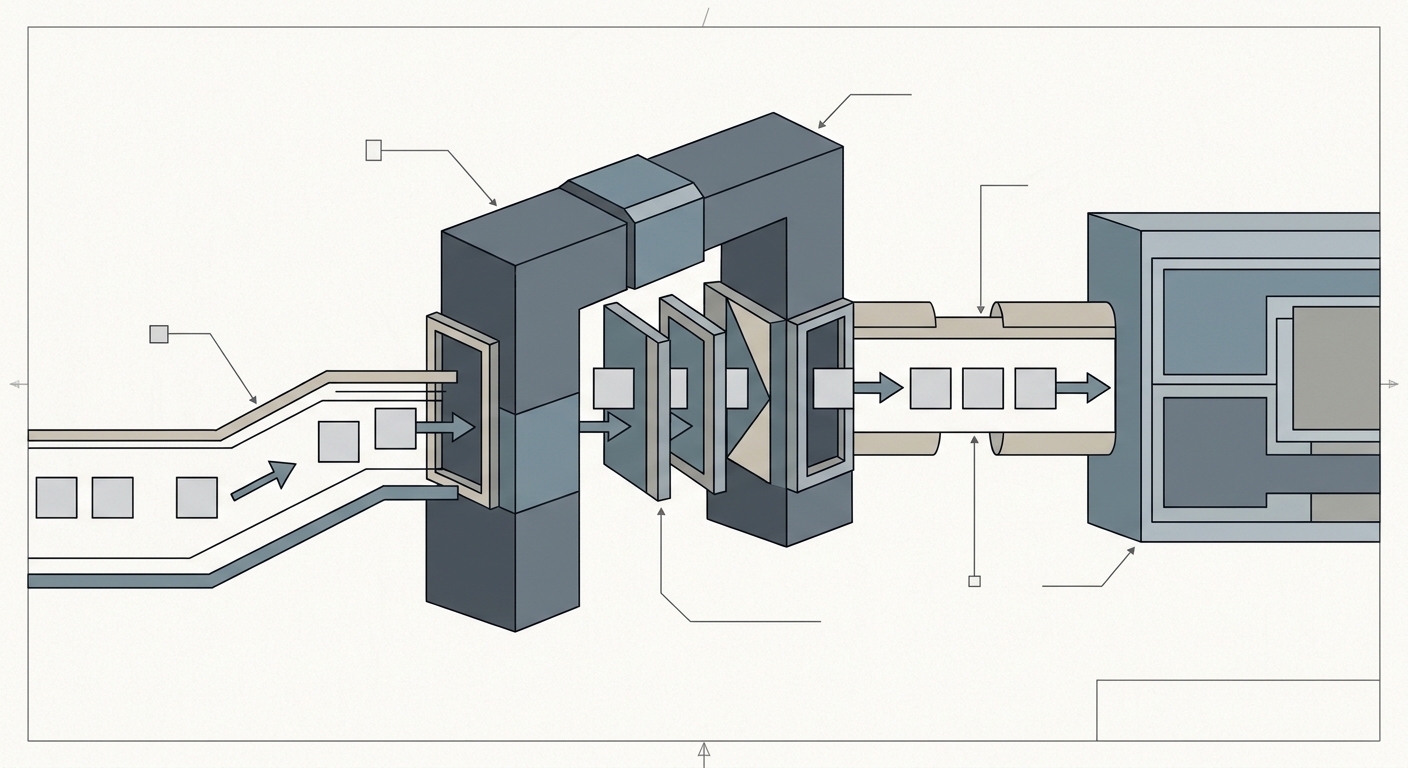
Bypassing the page lifecycle skips the page-level checks in the .aspx code-behind. It does not skip the ASP.NET authentication modules, which still run in the integrated pipeline and populate HttpContext.User. What disappears is every role check that lived in a page’s code-behind. Treat the handler as a new protected endpoint: if it doesn’t re-run those checks, anyone with a valid login can talk to your agent, and through it to whatever the agent can read.
So the handler has to enforce access itself. The existing Forms Authentication ticket arrives as a cookie, and by the time the handler runs the authentication module has already resolved it into HttpContext.User. The handler requires an authenticated user before it opens any upstream connection. The portal’s role-based access control is then checked at the handler. A user without the right role gets a 403 before the Python service ever hears about them. The security model stays where it always was, enforced by the same code, at a new door.
Session state is where you have to depart from the usual advice. Reading it requires a marker interface, and the reflex is IRequiresSessionState. Avoid it on a streaming handler. It takes an exclusive, read-write lock on the user’s session for the life of the request, so a chat stream lasting thirty seconds would block every other request that user makes for those thirty seconds. Use IReadOnlySessionState instead. You still get HttpContext.Current.Session for reading the user’s context, and the lock is shared. There are two caveats. The stream can still wait if another request already holds the write lock, and the handler can’t write to the session itself.
We also kept the Python service off the public network. It accepts connections only from the portal host, and the handler passes it the verified user identity. The agent never authenticates a browser directly.
Delivering Modern UX Without the Rewrite Tax
In both projects, someone eventually said the portal should simply be rebuilt. We argued against it. Rebuilding a compliance system puts approval logic, audit behaviour and years of accumulated edge cases back on the table, all to deliver a chat panel. The risk is large and the return is hard to defend. A rebuild can still be the right call when the portal has other reasons to change. A chat panel alone didn’t justify one.
What worked had two parts. Isolate the agent UI into a standalone JavaScript component. Proxy the stream through a small async handler that sits outside the page lifecycle. Everything else stays untouched: the routing, the compliance rules, the authentication, and the ViewState-heavy pages that nobody wants to reopen.
Fighting the ViewState turned out to mean not fighting it at all. You just stop sending the agent’s traffic through it. The legacy portal keeps doing what it was trusted to do, and the agent runs in a lane beside it.
I expect this pattern to outlast this particular agent. Streaming is the first requirement WebForms couldn’t absorb, but cancellation, tool-call progress and human approval prompts are likely to follow. They all fit the same shape: a handler at the edge, a component in the page, and the old system left to do its job.