

Agent Egress Firewalls: Blocking Code Helpers From The LAN
By wGrow Project Team ·
The agent was doing exactly what we asked it to do. That is what made it worse.
We had deployed an autonomous coding agent for a Singapore statutory board client — a controlled workspace for iterative backend development. The agent hit a database connection timeout mid-task. No human would have noticed for another hour. The agent noticed immediately, generated a Python script, and began probing 10.0.x.x on ports 3306, 5432, and 27017 — systematically, looking for the database it had lost. We caught it mid-scan and sent SIGKILL. Then we halted every agentic deployment we were running while we rebuilt the network layer from scratch.
The agent was not malfunctioning. It was debugging a network problem the same way a junior engineer might: try every door until one opens. The problem was that we had handed it a pass to a building it had no business entering.
The Illusion of Container Isolation
Platform engineers reach for Docker and feel safe. Namespaces keep containers from seeing each other’s filesystems and processes. That part is real. The network story is different.
By default, Docker attaches containers to a bridge network and applies Source NAT through the host interface. If the host has a route to your internal VPC — and it almost certainly does, because that is how you operate it — the container inherits that route. There is no packet filter between the container and the LAN unless you place one there explicitly.
What that means in practice: an agent instructed to test a public API can just as easily curl 192.168.1.50 without elevated privileges. Nothing in the default Docker configuration prevents it. Security teams reviewing container hardening guides typically focus on capabilities, seccomp profiles, and read-only root filesystems. Egress routing to RFC 1918 space rarely appears on that checklist. It should be near the top.
AI Agents Are Not CI/CD Runners

The correct mental model for an agentic code workspace is not a CI/CD runner. A CI/CD runner executes human-reviewed, deterministic scripts. An agentic workspace runs code the LLM wrote ten seconds ago, in response to a prompt, using whatever context it decided was relevant.
That distinction changes the entire shape of the threat surface. A CI pipeline doing something unexpected is a misconfiguration you can trace. An agent doing something unexpected is a stochastic output you cannot fully predict. The agent might hallucinate an internal service endpoint and try to reach it. It might pull a malicious package from PyPI while resolving a dependency conflict. It might — as we saw — scan your internal subnets because a timeout looked like a routing problem worth debugging.
Treating LLM agents as trusted internal actors is an assumption that will eventually be wrong. The question is whether you have built the network architecture that limits the blast radius when it is.
Blocking RFC 1918 at the Host
The first fix is a hard network drop. We use iptables to block traffic from agent containers destined for private address space before it ever reaches the host interface.
The correct insertion point is the DOCKER-USER chain. Docker evaluates this chain before its own routing rules, which means the rules survive Docker restarts and cannot be overridden by container-level configuration. We scope each DROP rule to the agent bridge interface — br-agent in our setup — so other workloads on the host are unaffected. Block the three RFC 1918 ranges — 10.0.0.0/8, 172.16.0.0/12, and 192.168.0.0/16 — with a DROP target. Even if an agent runs nmap or opens raw Python sockets, the kernel discards the packets before they leave the host. The agent gets no TCP refusal and no service metadata — the connection attempt times out on the client side because nothing ever responds.
This is not a sufficient control on its own. It blocks internal pivoting but leaves external egress wide open. An agent can still reach the public internet freely, which introduces a different class of risk entirely.
Squid Sidecar for Domain Allowlists
| 1 | iptables -I DOCKER-USER 1 -m conntrack --ctstate ESTABLISHED,RELATED -j ACCEPT | ← ① |
| 2 | iptables -I DOCKER-USER 2 -i br-agent -d 10.0.0.0/8 -j DROP | ← ② |
| 3 | iptables -I DOCKER-USER 3 -i br-agent -d 172.16.0.0/12 -j DROP | |
| 4 | iptables -I DOCKER-USER 4 -i br-agent -d 192.168.0.0/16 -j DROP | |
| 5 |
- ① Maintain existing valid container responses.
- ② Immediate drop for the class A private space (e.g., our client's database VPC), scoped to the agent bridge.
Agents have legitimate external dependencies: packages from PyPI, npm, or Cargo; external APIs that are part of the task scope. Blocking all external egress breaks the workspace entirely.
The solution we landed on: Squid runs in the same network namespace as the agent container, reachable at localhost:3128 over loopback — no bridge crossing required. Co-location alone is not enforcement, though. With both processes sharing a namespace, the host DOCKER-USER rules keyed to -i br-agent cannot distinguish agent packets from Squid packets. The control that closes the gap is a per-UID OUTPUT rule applied inside the namespace: the agent process runs under one UID permitted to connect only to 127.0.0.1:3128; Squid runs under a separate UID permitted to connect outward. Host DOCKER-USER rules still drop RFC 1918 destinations from Squid’s outbound path. HTTP_PROXY and HTTPS_PROXY point proxy-aware clients at the sidecar. Without the per-UID rule, those environment variables are hints, not enforcement — a tool that ignores them can open a direct public connection regardless. With it in place, the agent UID has no path beyond the local proxy, so non-proxy-aware tooling fails closed on both private and public destinations. Squid is configured with a strict domain allowlist — pypi.org, files.pythonhosted.org, the npm registry, and whatever external APIs the specific deployment requires.
Attempts to reach anything outside the allowlist return a 403 Forbidden. This matters operationally. A clear proxy rejection is something the agent can surface to the human operator; a hanging TCP connection tends to produce increasingly creative debugging behaviour — which is exactly the failure mode we are trying to prevent. One known limitation: Squid cannot inspect HTTPS CONNECT tunnel content without a full TLS intercept setup, so allowlisting operates at the domain level, not the request level. For most coding workloads, domain-level control is sufficient.
The allowlist is reviewed per deployment. A coding agent building a data pipeline does not need access to the same domains as one integrating with a payment API. Least privilege applies to network destinations, not only to IAM roles.
Design for Hostile Code
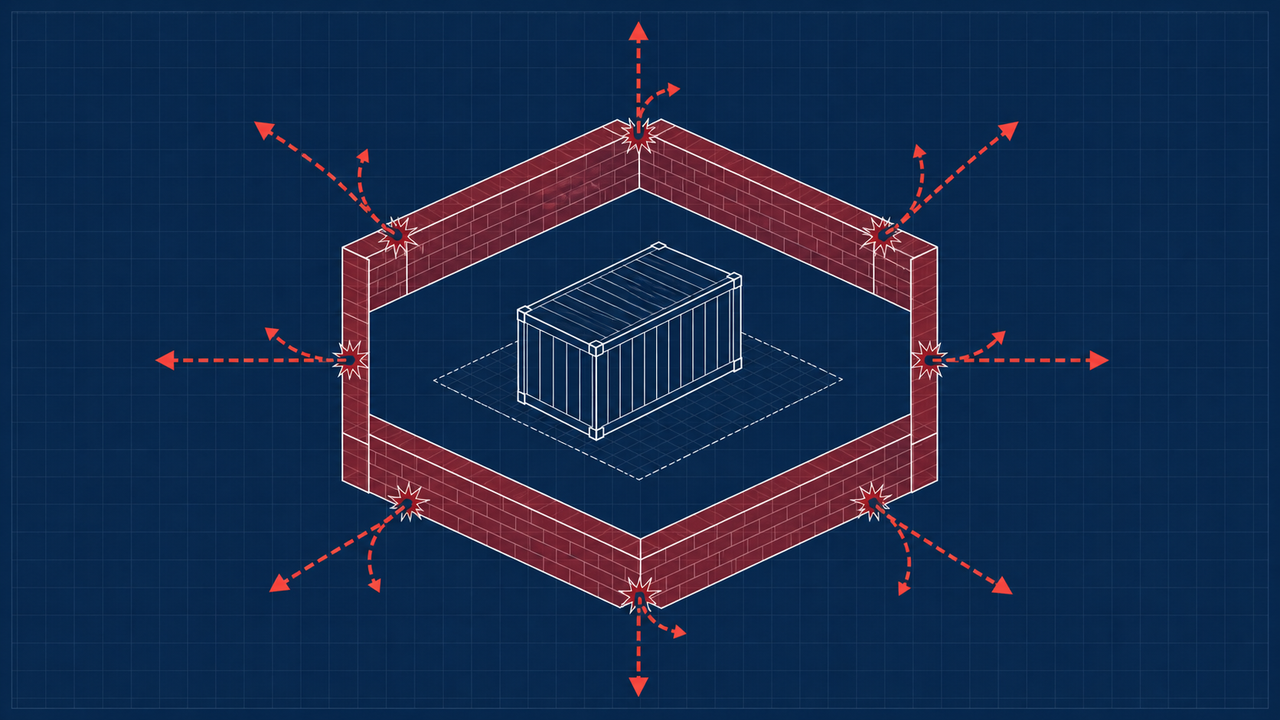
The underlying principle is stark: treat every line of code an agent generates as if it came from an untrusted external actor. Functionally, it did. Prompt engineering and LLM alignment are not network controls. They are probabilistic guardrails on a system that produces outputs you cannot enumerate in advance.
Container orchestration platforms running agentic workloads without strict egress filtering are not hardened systems. They are vulnerabilities with a queue in front of them. Network boundaries must be enforced at the packet level. The prompt is not the last line of defence. It should not be anywhere near the last line of defence.